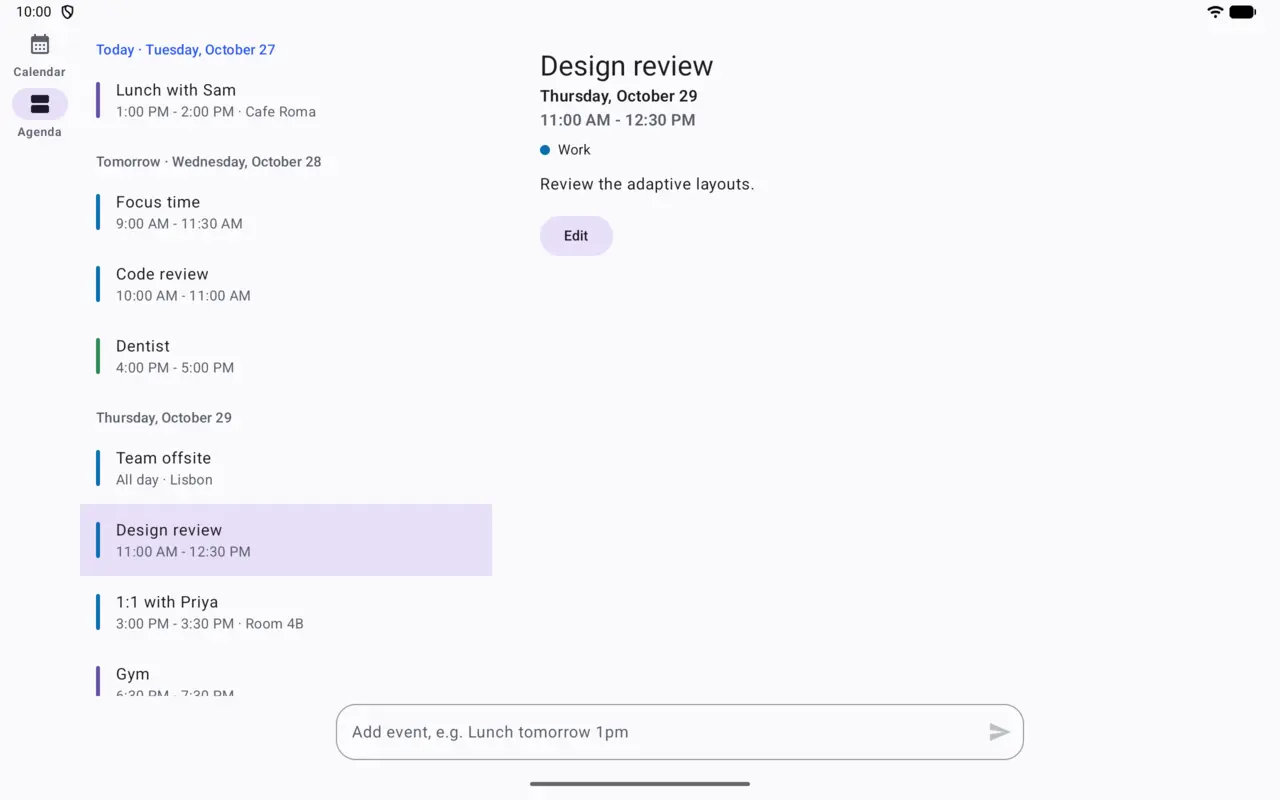
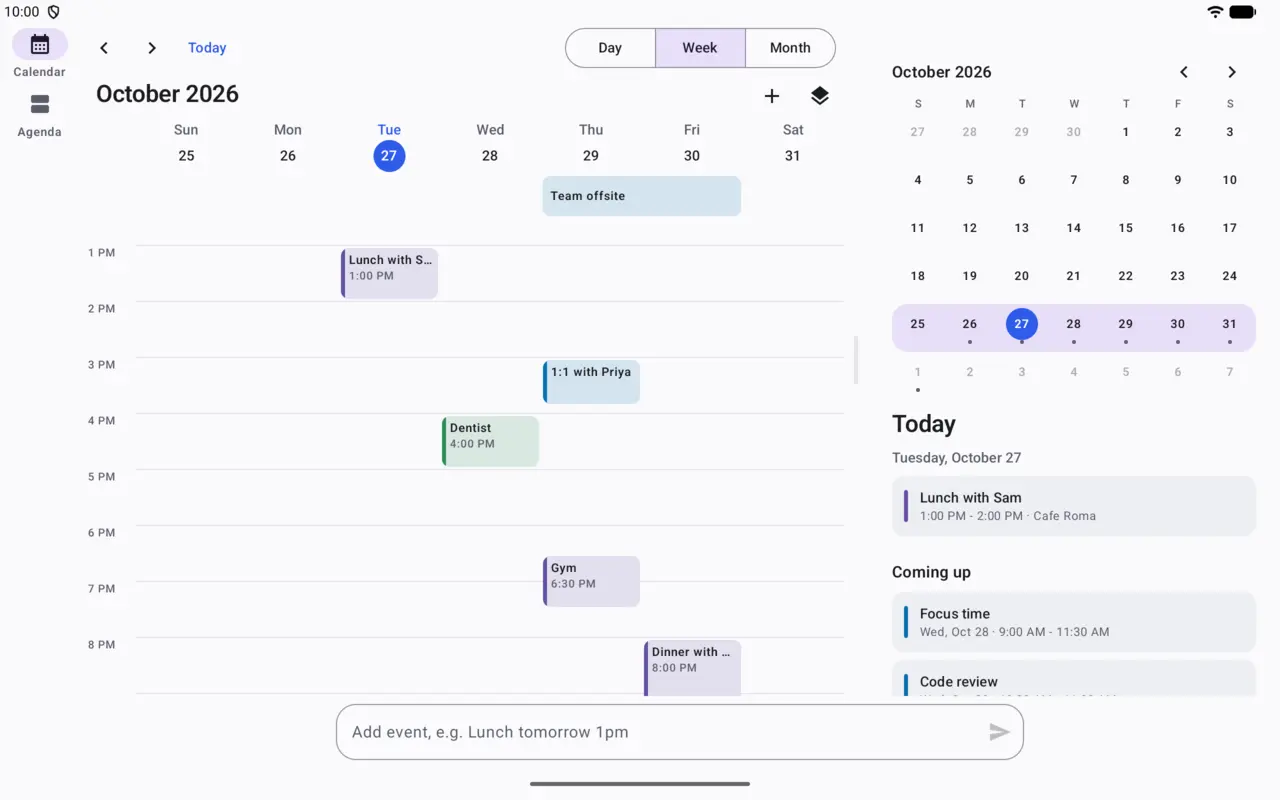
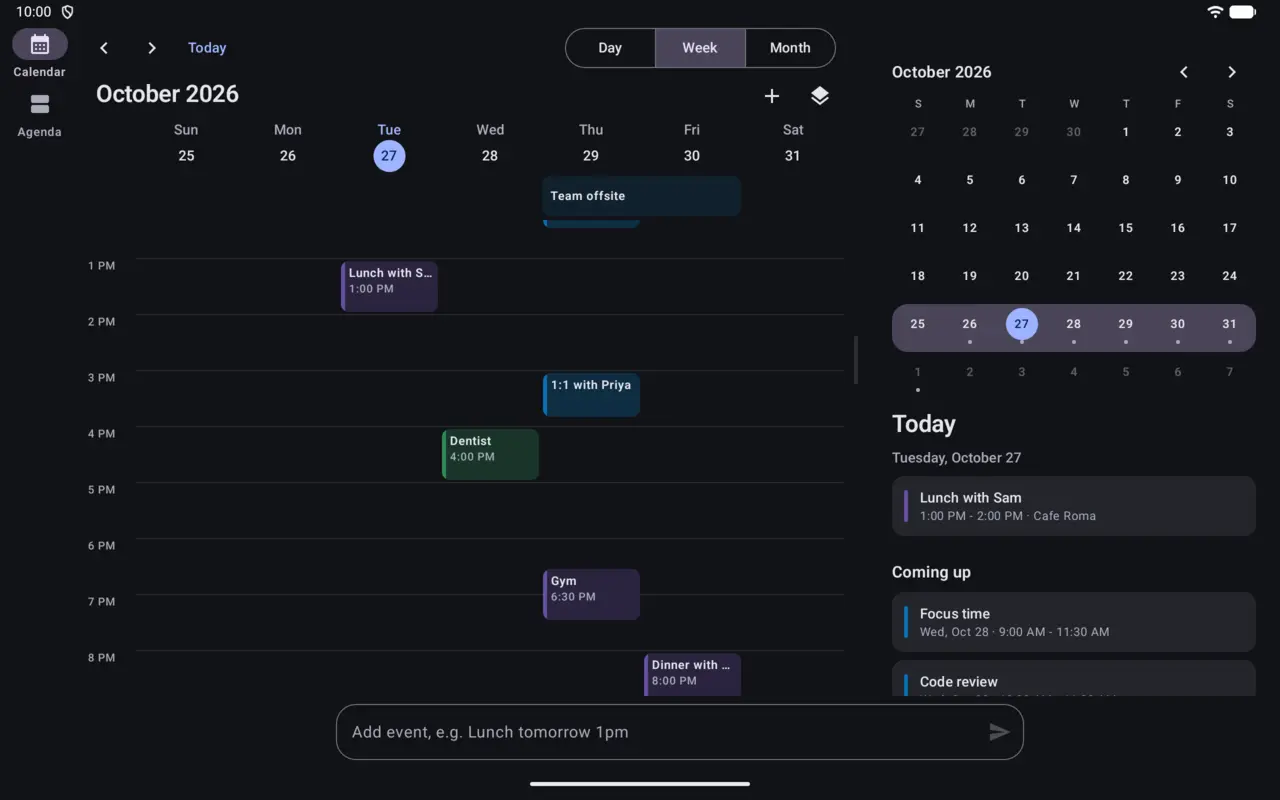
Tablets get the whole week
Seven days with a Today panel beside them, and the event's details next to the grid when you pick one. Drag the divider to resize the panes.
Quickspan is a calendar and planner for Android that turns Lunch with Sam Friday 1pm
into an event, and fits the screen you're holding: phone, tablet or foldable.
Quick add
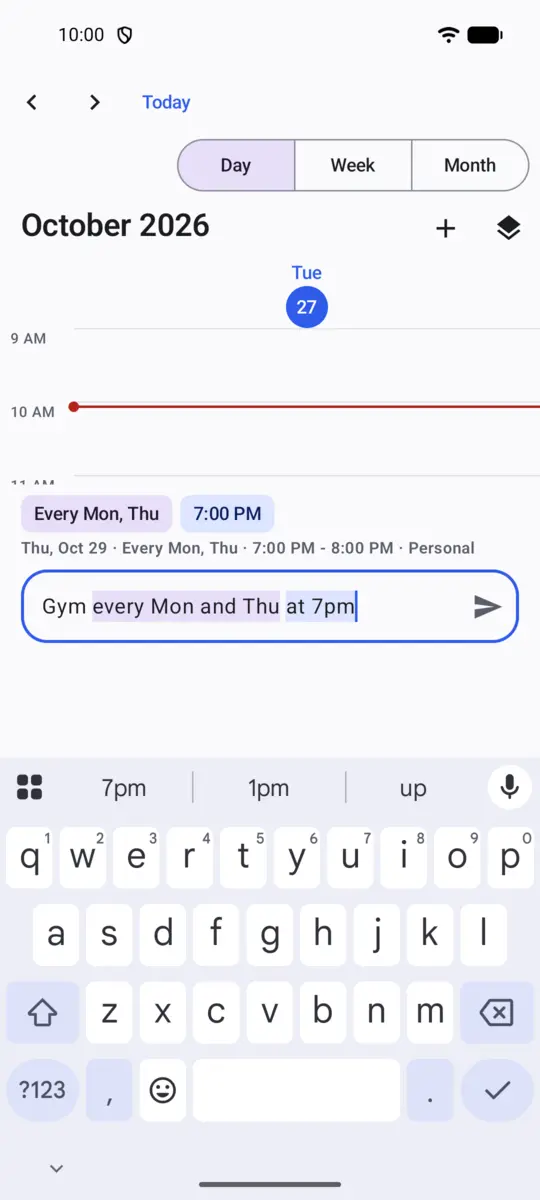
No pickers, no forms. Quickspan reads dates, times, repeats and places as you type, in English or Spanish, right on your phone.
Anything from Dentist Thursday 4pm
to Gym every Mon and Thu at 7pm
.
The words it recognised light up, and a line shows exactly what will be saved.
It's on your calendar, with undo. No time given? It finds your first free hour.
Every screen
Most calendars stretch a phone layout. Quickspan changes its layout with the space it has.
Seven days with a Today panel beside them, and the event's details next to the grid when you pick one. Drag the divider to resize the panes.
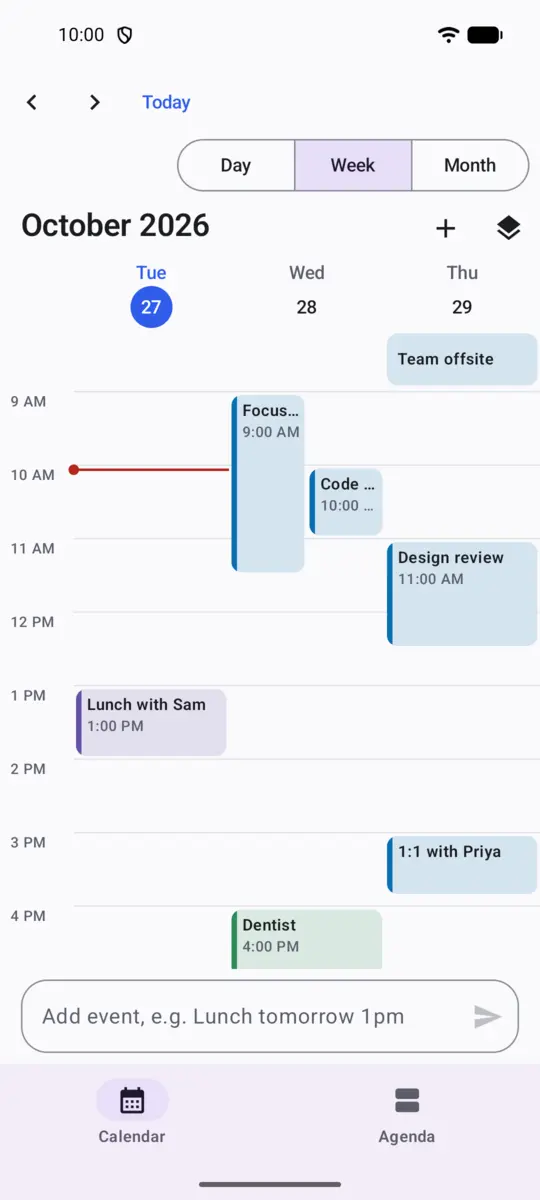
A readable week on a narrow screen, with the quick-add bar under your thumb.
Half open like a book, the week sits on one side of the hinge and today on the other. Flat on a table, the grid goes above the fold and the controls below. Fold or unfold and you keep your place.
Illustration of book posture
Shortcuts for everything, right-click menus, Ctrl+scroll to zoom the hours, and a second window beside the first. Events drag between them.
And the rest
Show your Google, Exchange and other calendars beside Quickspan's own, and add, edit, move or delete their events. Your phone's account syncs them as always.
Move an event to another day or time, drag its edge to change its length, or sweep an empty spot to make a new one. Several at once, too.
Moved or deleted something by mistake? Undo it from the bar that appears, or with Ctrl Z.
Daily, weekdays, weekly, monthly or yearly, with an end date. Change just one occurrence when plans move.
Print the week, or save it as a PDF to share, in landscape with every event in its calendar's colour.
TalkBack reads each event as one sentence, every menu action works without a mouse, and large text is supported.
Private by design
Quickspan doesn't have permission to use the internet. That isn't a promise in a policy: Android enforces it, and you can see it in the permission list on the Play page.
The app has no internet permission, so it can't send your events anywhere.
Nothing to sign up for. Open it and start typing.
No ads, no analytics, no advertising ID. Play's Data safety says "No data collected".
If you choose to show a Google or Exchange calendar, that calendar keeps syncing through your phone's own account, as it always did. Quickspan adds no network access of its own. Read the privacy policy
Questions
Yes. No ads, no subscription, no in-app purchases. Everything it does today stays free.
Not by itself, because it has no internet access. If you want the same events on several devices, keep them in a Google or Exchange calendar on your phone and turn on Phone calendars in Quickspan: your account syncs them.
English and Spanish. The rest of the app is in English and Spanish too, and dates and times follow your phone's settings.
Only to show and edit the calendars already on your phone, and only when you turn that on. Without it, Quickspan works with its own calendars.
Android 8 and newer: phones, tablets, foldables and flip phones, including desktop-style windows on tablets.
No time zones (times are your phone's local time), and quick add only speaks English and Spanish. Tell us what you miss at support@quickspan.app.

Free on Google Play. No account, no ads, no internet permission.
Coming soon to Google Play